

How jobs learn
Reflection is a model call after a run that writes what worked into the job’s playbook: notes for the next run, tested scripts and, once the runs follow the same steps, a main script that does the whole job without the agent. You switch it on or off in the job’s Settings tab and review each change on the run’s Learned tab. To edit or roll back what a job learned, open its Playbook tab.
Three modes
Section titled “Three modes”Umpteenth derives each run’s mode from the job’s playbook when it creates the run:
- Explore: the playbook has no active learnings, toolkit scripts or main script, so the agent works from your instruction alone. A Dockerfile or setup script by itself keeps a job in Explore.
- Assisted: learnings or toolkit scripts exist, but no main script. The agent reads the learnings and calls the scripts as tools.
- Scripted: a main script does the job without the agent, and if its checks fail, the agent takes over in the same sandbox.
To override the mode, pin one with the Mode select in the job’s Learning card. Managing jobs describes each option.
The playbook
Section titled “The playbook”A playbook has five parts:
- Learnings are short notes for the agent, such as “The status API returns at most 100 items per page, follow the
nextlink”. Each has an ID likeL3, a kind such asedge_caseorworkaround, and an optional When condition. - Toolkit scripts live in
/ump/toolkit, and the agent calls them as tools namedtoolkit__<name>. Reflection fills the toolkit up to 20 scripts. - Setup is a shell script that runs before every run, in every mode. A non-zero exit fails the run.
- Dockerfile is the job’s environment, which you edit on the Environment tab (see Sandboxes).
- Main and Verify arrive with graduation: the script that does the whole job, and the checks its result must pass.
The agent gets the active learnings and a one-line description of each toolkit script in its prompt, and the same text as /ump/PLAYBOOK.md in the sandbox.
Reflection keeps that text under about 3,000 tokens: a reflection that would push it past the cap gets one retry and then fails.
Every edit, yours or reflection’s, saves a new playbook version, and so does a rollback.
Reflection
Section titled “Reflection”With Self-improve on in the job’s Learning card, the default for new jobs, Umpteenth reflects on each run that ended Succeeded, Failed or Timed out, with two exceptions:
- Explore and Assisted runs that failed before the agent started, for example on a missing model or the daily spend limit, get no reflection unless the setup script caused the failure.
- Scripted runs that succeeded without falling back get none either, so a graduated job costs no reflection while its script works.
With Self-improve off, the job header shows Learning off. The playbook then changes only through your own edits and rollbacks, or when you click Learn from this run. That button works on any run that succeeded, failed or timed out, with the switch on or off, unless a reflection on that run is in progress. After a reflection, the run’s Learned tab offers Learn again in its place.
Model and cost
Section titled “Model and cost”Reflection uses the Reflection model under Settings → General → Default models. If that shows Not set, reflection uses the job’s own model: the model you picked in the job’s settings, or the workspace’s Agent model.
The run’s Learned tab shows what each reflection cost, and the Dashboard counts it under Learning. Reflection counts toward the daily spend limit too: once the workspace reaches it, reflection fails with “the workspace reached its daily spend limit of $X”. Models and costs covers the limit.
Before the model reads the run, Umpteenth replaces each secret value of the job with [secret $NAME].
Values shorter than six characters pass through unredacted.
A reflection that stays pending for 30 minutes fails with “Reflection did not finish, start it again from the run page”.
Changes reflection can make
Section titled “Changes reflection can make”Reflection answers with a summary and a list of changes, each with a one-sentence rationale. It can add, update and retire learnings, save and delete toolkit scripts, set or remove the setup script, the Dockerfile and the verify checks, and write or update the main script. The Learned tab names each change, for example Add learning L4 or Graduate to a main script, and marks it Applied, Held for review or Rejected.
Checks before a change applies
Section titled “Checks before a change applies”A proposed change faces up to three checks: validation, a Dockerfile build and a shadow run of the main script.
- Umpteenth validates each change on its own, so one invalid change doesn’t block the rest. An invalid change ends Rejected with the reason, and a risky one ends Held for review.
- Umpteenth builds a changed Dockerfile and rejects it if the build fails, with the end of the build log as the reason.
- A new or changed main script runs once in a shadow run.
- If Umpteenth rejected a change or the playbook grew past its cap, it gives the reflection model one more try with the reasons, and the second answer replaces the first.
- If at least one change applied, Umpteenth saves a new playbook version, and the next run uses it.
If main fails its shadow run, Umpteenth rejects it along with the script, setup, Dockerfile and verify changes it depends on, and passes main’s output to the model for its retry. The shadow run’s model calls add to the reflection cost.
A job whose spec lists side effects never gets a shadow run, since Umpteenth can’t hold back requests that main sends on its own.
The same goes for a main or toolkit script marked # ump:side-effects external, and for a run that changed the job’s state.
The change then applies untried, and so does one whose main runs into the 10-minute cap of a shadow run or calls a tool the shadow run refuses.
The Learned tab marks such a change “Not tried in a shadow run before it was applied.” and gives the reason.
Held for review
Section titled “Held for review”Umpteenth holds a change back instead of applying it in three cases:
- A Dockerfile builds on a base image the job doesn’t use yet, pipes
curlorwgetinto a shell,ADDs a file from a URL, or copies files out of another image withCOPY --from=. - A learning, script or Dockerfile would contain the value of one of the job’s secrets, or something shaped like a credential: an
sk-key, a GitHub or Slack token, an AWS access key, a private key or a JWT. - Any Dockerfile change for a job set to No network or Allowed domains only, since image builds always reach the internet, with the flag “needs review: image builds reach the internet, which this job’s network setting forbids”.
Only Dockerfiles get the download and image checks, so a curl | sh in a setup script applies without review.
A learning that mentions a URL applies with the warning “mentions a URL, check that it came from the job and not from fetched content”, because web pages the agent fetched end up in what reflection reads.
Umpteenth has no approve button, so a held change stays held, and rejecting one takes no action from you. The Learned tab marks it Held for review with the note “Held back for review. If it is safe, apply it by hand in the playbook.” To apply it, copy what you trust from the change and paste it into the Playbook tab: a learning shows its text in the list, and other changes keep theirs under Show content. For a Dockerfile, paste it into the Environment tab and click Save & build.
Graduation
Section titled “Graduation”A job graduates when reflection writes it a main script. Umpteenth allows that only while reflecting on the job’s newest finished run, and only if that run and the two finished runs before it meet three rules:
- All three succeeded in Assisted mode.
- Each made at most two ad-hoc
bashcalls. A call doesn’t count if every command in it is one ofcat,head,tail,ls,grep,rg,jq,wc,find,file,stat,echo,printf,pwd,tree,duordiff, with no>redirect. - All three called the same toolkit scripts and MCP tools in the same order. Umpteenth compares tool names and ignores arguments.
Finished means succeeded, failed or timed out, so cancelled and skipped runs neither help nor break the streak.
If the rules hold, Umpteenth hands the reflection model the tool sequence and asks it for a main script and its verify checks. The main script then faces its shadow run, and once it applies, the job’s next run is Scripted. On a new job you haven’t edited by hand, run 5 is the earliest that can be scripted: run 1 explores, its reflection adds the first learnings, and runs 2 to 4 make the streak. Umpteenth checks the rules only during reflection, so graduation needs Self-improve on, or a click on Learn from this run on the newest run.
Main is an ordinary shell, Python or Node script.
You read and edit it on the Playbook tab, next to the learnings and version history that make it better documented than most cron jobs.
It runs as /ump/main in /workspace and reads the run’s input from /ump/input.json.
If the job declares inputs, Umpteenth rejects a main script whose code never mentions that file, so values from a webhook or Run now reach the script.
Main can call toolkit scripts, MCP tools through ump mcp call, and the Utility model through ump llm for steps that need judgment, such as summarizing.
It reports results with ump output set and ump summary, and the ump CLI reference lists every command.
Scripted runs
Section titled “Scripted runs”A scripted run has five steps:
- The setup script runs, if the playbook has one.
- Main gets half the time left in the run, and the other half stays in reserve for the agent in case main falls short.
- The run turns Verifying.
Umpteenth checks that main exited 0 and set every output the job declares, then runs the verify checks.
A
ump failfrom main fails verification even if main exits 0. - If everything passed and verify sets
"llm": true, the Utility model judges the result against your instruction and success criteria. - A pass ends the run as Succeeded.
The verify checks of a digest job that must find at least one item and write a Markdown file:
{ "checks": ["output.count >= 1", "file /ump/outputs/digest.md exists"], "llm": false, "varies": ["fetched_at"]}A check takes one of five forms: exit_code == 0, output.<name> exists, output.<name> <op> <JSON value> with ==, !=, >, >=, < or <=, file <path> exists for a path under /ump/outputs/ or /workspace/, and stdout contains "<text>".
varies names outputs that differ between two runs moments apart, like the timestamp fetched_at, which a shadow run then leaves out of its comparison.
Fallback
Section titled “Fallback”A failed check or a ump fail makes main fall short, and so does a verifier that rejects the result or can’t judge it.
The agent then takes over in the same sandbox, with the time left and the job’s toolkit and MCP tools.
Umpteenth gives it the last step main reached and the end of main’s output, plus the MCP calls with side effects that main made so the agent doesn’t repeat them.
Requests main sent on its own, such as a curl to a chat webhook, aren’t on that list, and the agent gets a general warning about them.
The timeline shows Fell back to the agent with the reason, and the mode badge changes to Scripted · fell back. The run ends with the agent’s result. A run you cancel, or one that hits its overall time limit while main runs, ends there without a fallback.
After a fallback, Umpteenth asks the reflection model to repair main with Update the main script and to change only what failed. That needs Self-improve on or a click on Learn from this run. For a job with side effects, the repaired main applies without a shadow run.
Demotion
Section titled “Demotion”If the last two finished scripted runs since graduation both fell back, Umpteenth demotes the job. The header shows Demoted, and the next runs are Assisted until the job graduates again with three new successful Assisted runs and a new main script. One scripted success between two fallbacks resets the count, and repairs through Update the main script don’t. A job pinned to Scripted keeps running main while demoted.
To hear about either event, pick it under Notifications: job.demoted is on by default and run.fell_back is off.
The Learned tab
Section titled “The Learned tab”Each run’s Learned tab shows what reflection did with that run.
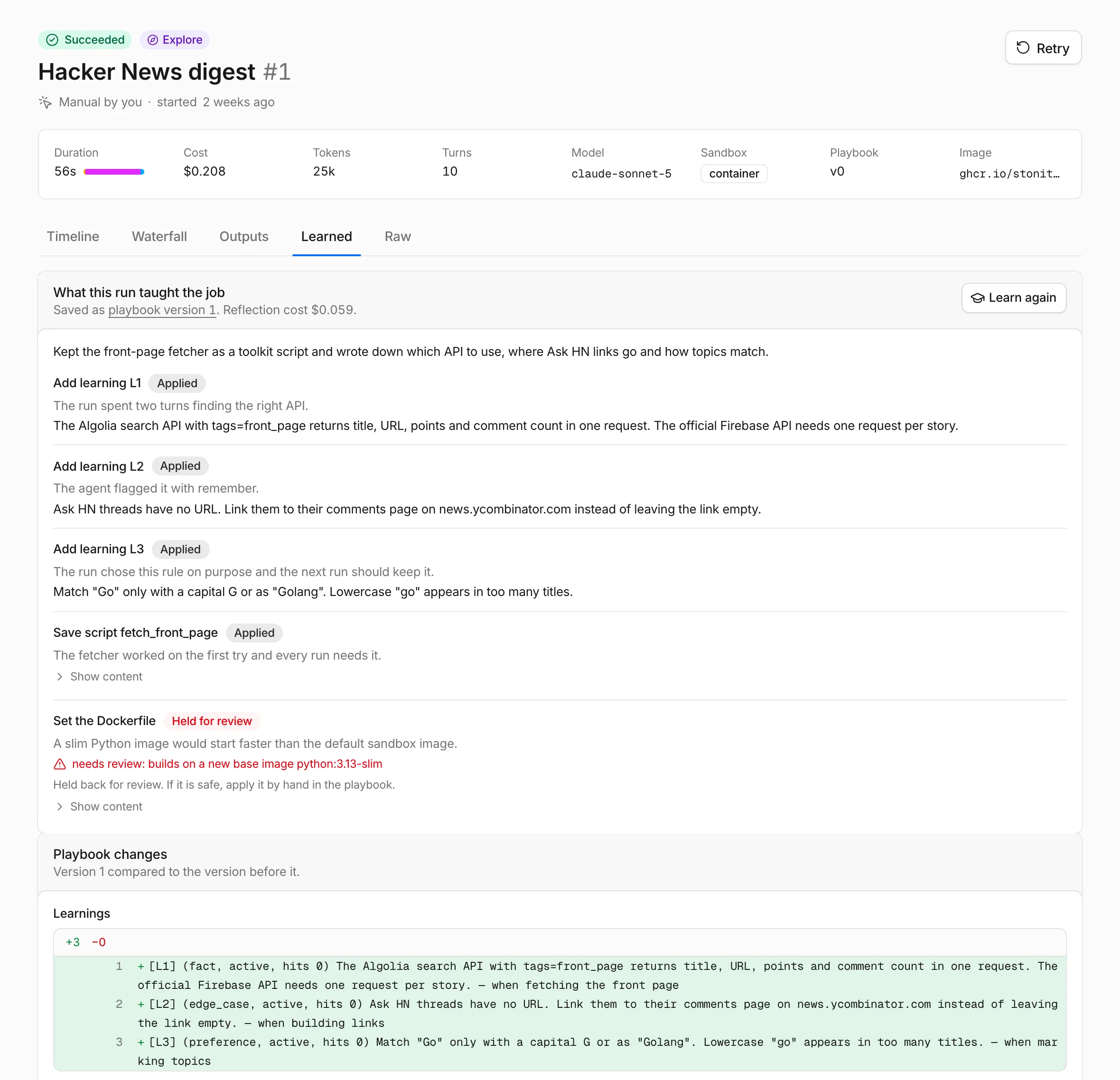
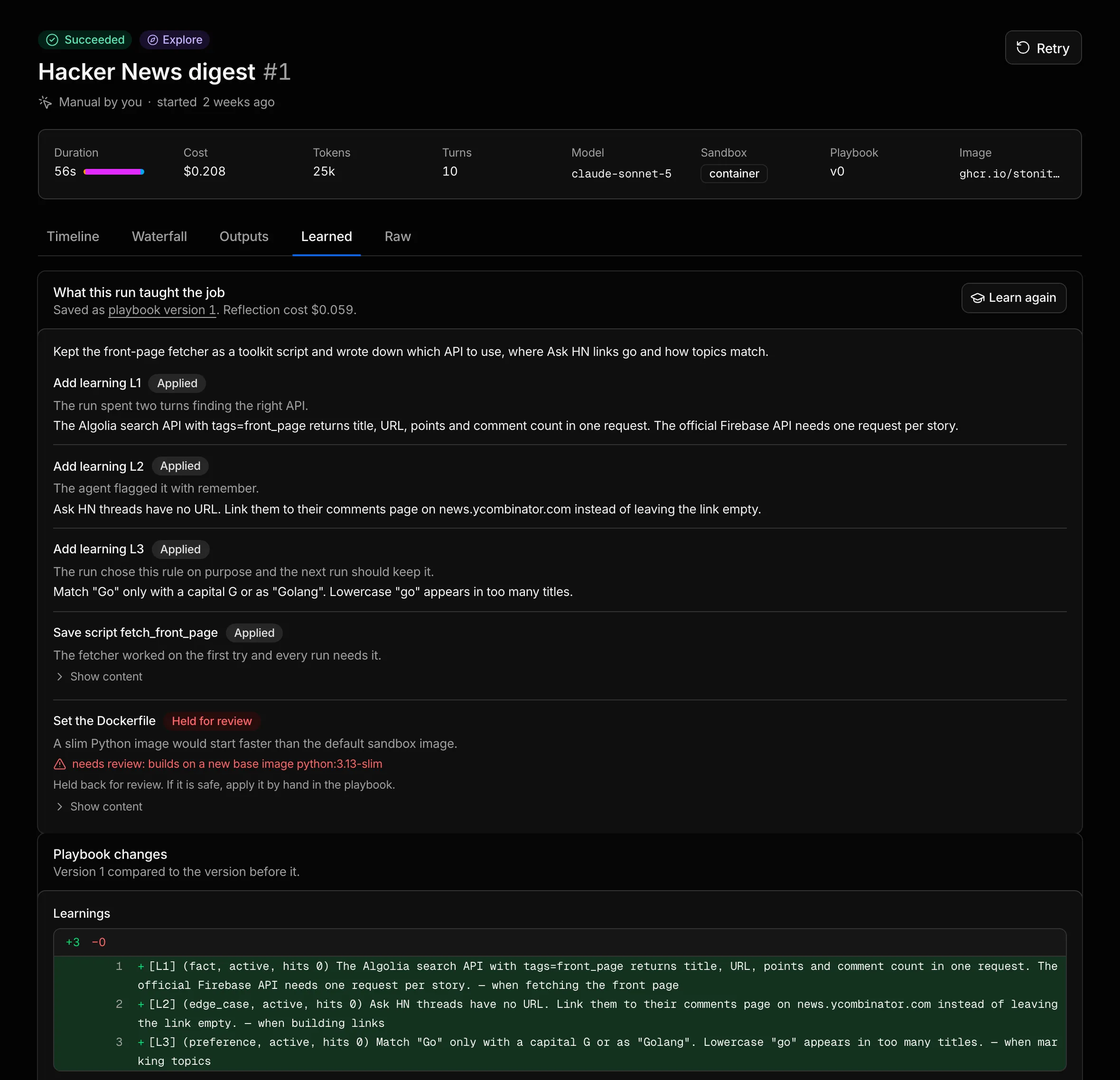
- “Reflecting on this run” appears while reflection works.
- “Nothing learned from this run yet” appears if reflection skipped the run, with Learn from this run if the run succeeded, failed or timed out.
- Reflection failed quotes the error, such as the daily spend limit.
- The What this run taught the job card links the new playbook version, or says “The playbook stayed as it was.”, and shows the reflection cost, the summary and each change with its rationale and status. Show content opens what a change writes, and a rejected change gives its reason after “Not applied:”.
- Playbook changes shows a diff of each part the new version changed.
The change that carries a shadow run shows its result: a note that main passed, “Not tried in a shadow run before it was applied.” with the reason, or a rejection with Show the shadow run’s output. Reflection applies its changes to the job’s current playbook, so learning from an old run changes today’s version.
The Playbook tab
Section titled “The Playbook tab”The job’s Playbook tab shows the current version and lets you change it by hand.
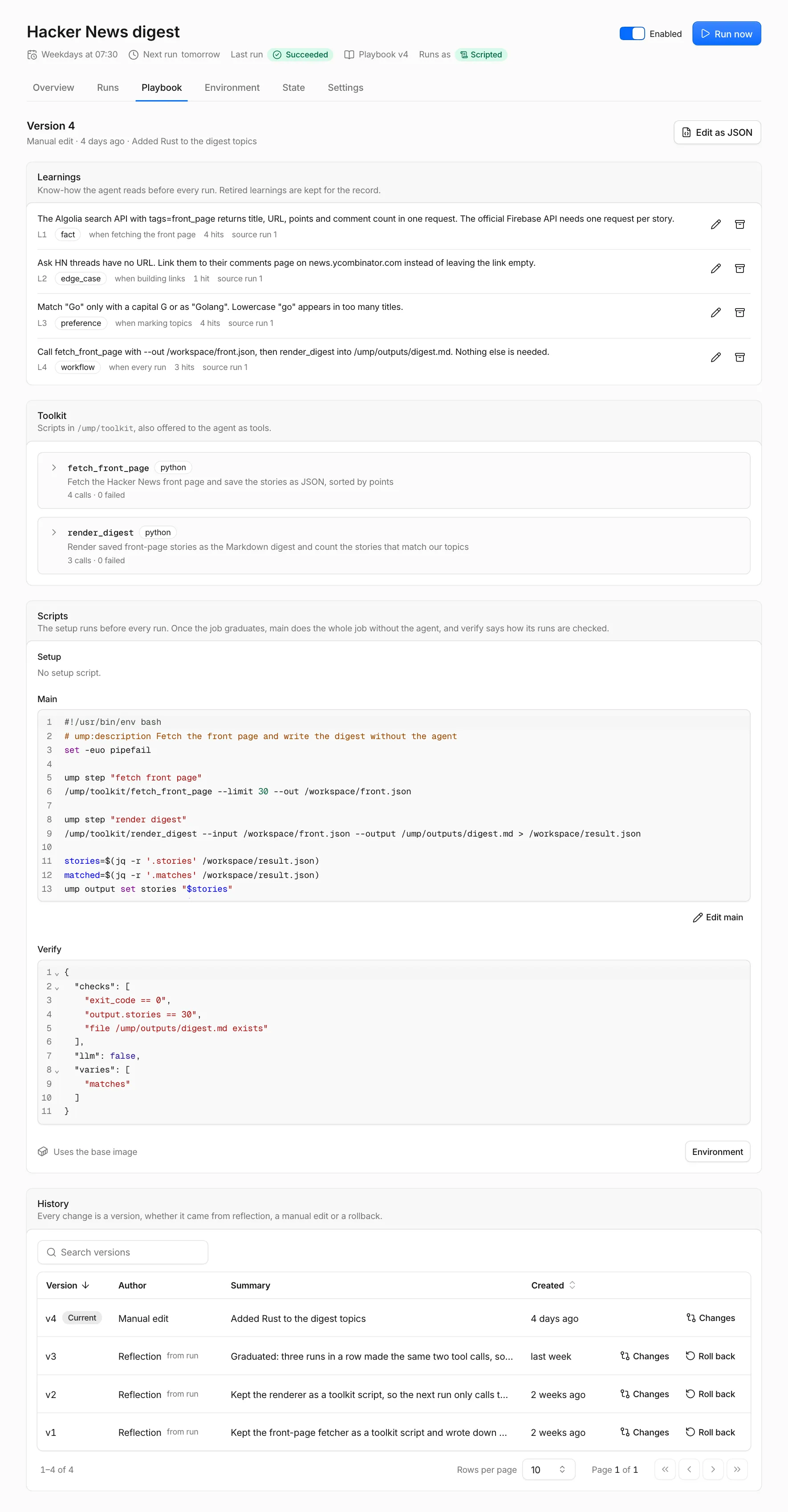
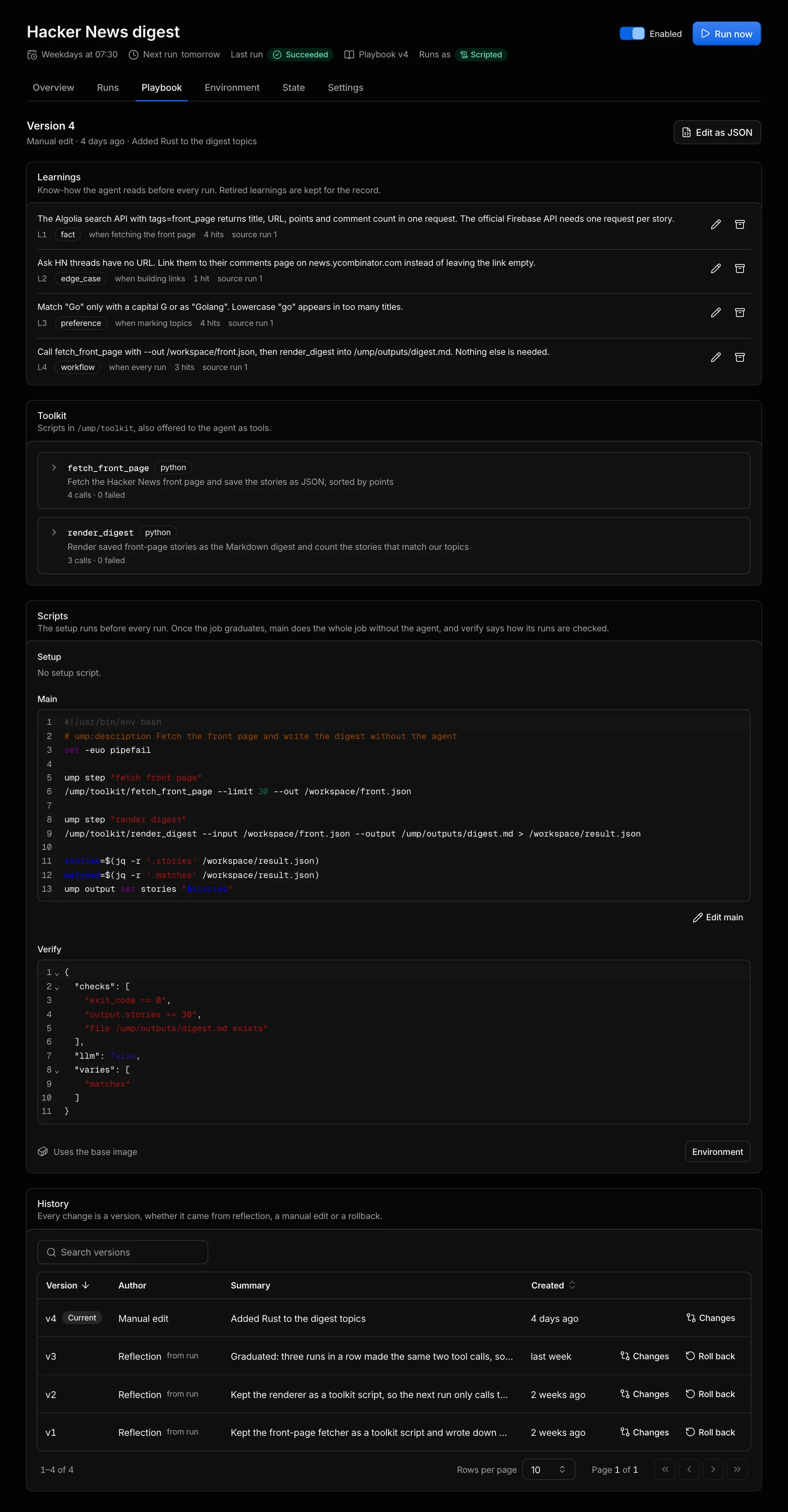
- Learnings: edit a learning’s Text, When and Kind, or Retire and Restore it. The hit count shows how often runs relied on a learning, and the source run links lead to the runs it came from. Retired learnings wait under “N retired”.
- Toolkit: each script with its language, description, a Side effects badge if it has them, and its calls and failures. Expand a script to read its arguments and code, then Edit or Delete it. A deleted script stays in the history.
- Scripts: Setup, Main with Edit main, and Verify, plus a link to the Environment tab for the Dockerfile.
- Edit as JSON opens the whole playbook in one editor, with an optional summary for the new version.
- History lists every version with its author (Reflection, Manual edit, Rollback or Compile) and, for reflections, a from run link. Changes opens the diff, including “What reflection proposed”. Roll back creates a new version with the old content, so the history stays intact, and rebuilds the image if the Dockerfile differs.
Manual edits skip reflection’s checks: Umpteenth holds nothing for review and starts no shadow run. On save, it checks only the verify syntax and the toolkit script names and headers.
If the playbook changed since you opened the page, for example because reflection saved a version, your save fails with “The playbook changed since it was loaded, reload to see the latest version” and the page reloads.
Adding a main script to a playbook that had none, through Edit as JSON or a rollback, graduates the job by hand. With Mode on Automatic, its next run is Scripted.
If a job doesn’t graduate
Section titled “If a job doesn’t graduate”Graduation needs three successful, matching Assisted runs in a row. Open the Learned tab of the job’s newest run and go through this list:
- Self-improve is off and you haven’t clicked Learn from this run on the newest run.
- You pinned Mode to Explore, whose runs never count, or to Assisted, which never runs main.
- One of the last three finished runs failed, timed out or ran in Explore.
- A run made more than two
bashcalls that do more than read files. Toolkit script calls don’t count toward that limit. - The runs took different paths: other tools, or the same tools in another order. A job that posts to Slack on days with news calls one tool fewer on quiet days, and Writing instructions has tips for runs that repeat.
- Reflection wrote a main script and it failed its shadow run. The change shows Rejected with “main failed its shadow run” and Show the shadow run’s output.
- Reflection failed, for example on the daily spend limit.
Cost of a graduated job
Section titled “Cost of a graduated job”A scripted run that passes costs the ump llm calls its main script makes, plus one call to the Utility model if verify sets "llm": true.
Umpteenth skips reflection on it.
A fallback adds an agent run and the reflection that repairs main.
All of it counts toward the daily spend limit, and the Dashboard lists the verifier and reflection under Learning. To watch the drop, open the job’s Overview tab: its Graduation chart plots each run’s cost and duration colored by mode, with a marker for each playbook version.